As an Employer you have the option to approve a project and pay if the project is in "Working" status and in "In Review" status. To Approve a project you can simply select the Pay Now option at the bottom of the contract or the drop down menu.

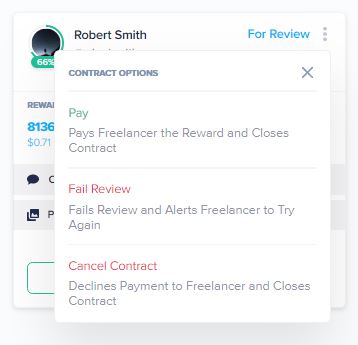

As an Employer you have the option to approve a project and pay if the project is in "Working" status and in "In Review" status. To Approve a project you can simply select the Pay Now option at the bottom of the contract or the drop down menu.
Comments
0 comments
Article is closed for comments.